Restaurants and hotels are changing quickly, and the way they manage payments and service is evolving too.
By 2026, a POS system will be more than a cash register. It will connect with property management systems, support QR ordering and kiosks, manage loyalty programs, handle inventory, and ensure compliance with relevant regulations.
However, choosing the wrong system can create serious problems. Businesses may face higher costs, downtime that disrupts service, and compliance risks that damage their reputation.
For decision-makers, the real challenge is how to choose the right POS system that can support growth and deliver value in the long run.
This guide provides a practical framework for making informed choices. It will cover the features to look for, the importance of integrations, compliance requirements, and how to assess return on investment before making a decision.
What Makes a POS System “Future-Proof” in 2026?
A future-proof POS system can meet the needs of your restaurant or hotel today and adapt to changes in technology, payments, and guest expectations in the years to come.
By 2026, a system that cannot keep up with new payment methods, compliance standards, or omnichannel guest experiences will quickly become a constraint on operations and growth.
To be considered future-proof, a POS system should have these key attributes:
- Cloud-first design with the ability to operate offline, ensuring uninterrupted service even during network issues.
- Integrated payment processing with minimal failed transactions, ideally less than one percent.
- Support for multiple locations and revenue centres, allowing seamless management across branches or different hotel departments.
- Deep integration with property management systems for hotels, enabling smooth coordination between front desk, housekeeping, and point-of-sale operations.
- Audit-ready compliance with the latest standards, including PCI DSS 4.0, fiscalization rules, and local tax requirements.
Choosing a system with these features ensures better operational efficiency, stronger compliance, and a superior experience, making it easier to scale and adapt to future demands.
Key Outcomes Operators Should Expect
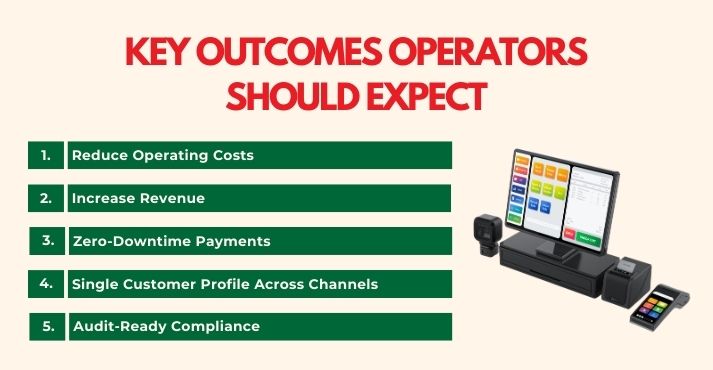
A well-chosen POS system can help operators improve efficiency and service. In 2026, focus on outcomes that directly affect costs, revenue, and operations.
1. Reduce Operating Costs
Use a POS system that lowers payment processing fees and minimises downtime. Cloud-first systems with offline capabilities allow restaurant operators to continue serving customers even during network outages, ensuring a smooth service experience during busy periods.
In fact, 68% of respondents reported seeking cloud-based POS solutions for their agility and scalability, indicating a growing preference for systems that adapt to changing business needs.
2. Increase Revenue
Implement features such as QR code ordering and self-service kiosks to expedite table turns and encourage upselling. Applying restaurant upselling techniques, such as suggesting add-ons or combos through the POS, can increase the average spend per customer without adding staff.
3. Zero-Downtime Payments
Select systems that continue to process payments even if connectivity is interrupted. Failover times under 30 seconds ensure transactions complete reliably, protecting both revenue and operational continuity.
4. Single Customer Profile Across Channels
Integrate your POS with property management and customer relationship systems to create a single customer profile. Staff can use this to track loyalty points, personalise service, and maintain consistency across dining areas and hotel services.
5. Audit-Ready Compliance
Select POS systems prepared for PCI DSS 4.0, tipping and service charge rules, and fiscalization requirements in different markets. This ensures smooth audits and accurate financial reporting.
These outcomes help operators to control costs, increase revenue, maintain uninterrupted service, and provide reliable operations.
Comparing POS Deployment Models
Selecting the appropriate POS deployment model is essential when evaluating systems for restaurants or hotels.
Operators must consider how the system handles payments, integrates with existing infrastructure, and supports various types of venues, ranging from quick-service restaurants to fine dining establishments and resorts.
Cloud vs. Legacy/On-Premises
Cloud-based POS systems operate over the internet, offering real-time data access, remote management, and scalability. On the other hand, legacy or on-premises systems are installed locally, providing complete control but often requiring significant IT support.
Hybrid or offline-first solutions combine both approaches, ensuring uninterrupted service during network outages while retaining some cloud capabilities.
Cloud-based models accounted for 61.92% of the hotel and hospitality management software market size in 2024 and are projected to expand at a 9.17% CAGR to 2030, highlighting the strong move toward cloud adoption in the industry.
Semi-Integrated vs. Fully Integrated Payments
A semi-integrated POS connects to payment processors but leaves some data outside the POS, which can reduce compliance burdens but may limit reporting capabilities.
Fully integrated payments keep all transaction data within the system, allowing detailed reporting, easier reconciliation, and tighter security.
| Model | Pros | Cons | Best Fit |
| Cloud SaaS | Remote management, scalable, automatic updates, multi-location support | Dependence on the internet, subscription costs | Multi-location restaurants, resorts, quick-service restaurants, growing chains |
| Legacy/On-Premises | Complete local control, less dependent on internet | High upfront cost, limited remote access, harder to scale | Single-location fine dining or hospitality venues with stable IT infrastructure |
| Hybrid/Offline-First | Operates offline, continues service during network issues, some cloud benefits | May require more complex setup, higher cost than pure cloud | Multi-location full-service restaurants, bars, resorts, quick-service restaurants |
For operators managing multiple locations, cloud or hybrid solutions provide the flexibility to centralise reporting and control operations across branches.
Bars and fine dining venues may value fully integrated payments and offline capabilities to maintain smooth service during peak hours. Quick-service restaurants benefit from cloud-based systems that support fast transactions, kiosks, and digital ordering platforms.
Evaluating each deployment model with these considerations helps operators select a POS system that aligns with their operational needs, growth plans, and venue type. A thoughtful POS system comparison ensures the system will support efficiency and reliability over time.
Essential Features to Look For
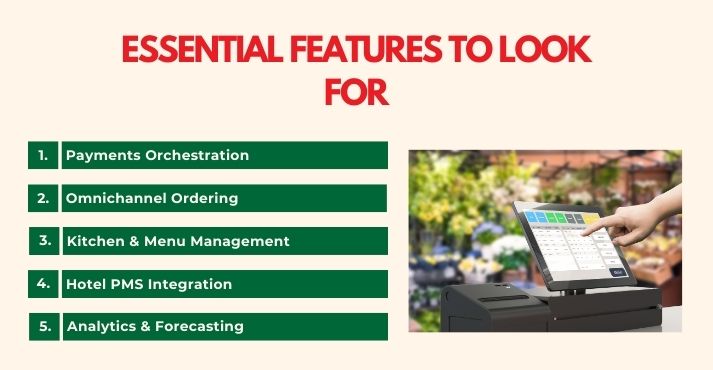
Selecting the right POS system is crucial for optimizing restaurant and hotel operations. A comprehensive POS features checklist ensures that all necessary functionalities are met, enhancing efficiency and service quality.
Below are essential features to consider:
1. Payments Orchestration
A modern POS system should support various payment methods, including Tap to Pay, digital wallets, EMV chip cards, tokenisation, and manage chargebacks and foreign exchange fees.
For example, TapTouch, an Australian POS provider, integrates built-in Tap-to-Pay directly on the screen, eliminating the need for external terminals and speeding up the checkout process.
2. Omnichannel Ordering
Integrating multiple ordering channels, such as QR codes, kiosks, delivery apps, table reservations, and room charges, into a single POS system streamlines operations.
TapTouch also supports native omnichannel ordering, allowing businesses to manage online orders, delivery apps, and QR codes from one system, reducing the need for multiple devices.
3. Kitchen & Menu Management
Effective kitchen and menu management are vital for operational efficiency. A Kitchen Display System (KDS) integrates with POS systems to display orders in real-time, enhancing workflow and reducing errors.
For example, LimeTray, a provider trusted by brands like Mad Over Donuts and Domino’s Indonesia, offers customizable reporting and order management features that integrate seamlessly with KDS.
4. Hotel PMS Integration
Seamless integration with Property Management Systems (PMS) is essential for hotels. Oracle’s GloriaFood POS integrates with PMS, enabling the automatic population of online menus with POS menu items, images, pricing, and descriptions, ensuring consistency across platforms.
5. Analytics & Forecasting
Advanced analytics and forecasting functionality allow operators to track sales trends, monitor inventory levels, and identify high- and low-performing items.
Detailed reporting allows better decision-making for staffing, menu planning, and purchasing. Forecasting software helps predict demand patterns, reduce waste, and optimize stock levels, ensuring both efficiency and profitability.
Total Cost of Ownership (TCO) and ROI
When operators consider which POS system to choose, the upfront price is just one part of the equation.
The true measure is the total cost of ownership (TCO), which includes software subscriptions, hardware bundles, payment processing margins, chargebacks, foreign exchange fees, and local surcharges.
A clear understanding of these factors helps businesses in the hospitality and restaurant industry avoid hidden costs that reduce profitability.
Return on investment (ROI) is equally important. Operators should connect outcomes to efficiencies and revenue impact. Modern POS solutions usually deliver:
- 10–15% faster checkout times, reducing wait times and turning more tables per shift.
- Up to 20% fewer payment disruptions, thanks to offline-first functionality and resilient integrations.
- Around 5% additional revenue from loyalty engagement and upselling strategies, which can be built directly into the ordering journey.
Evidence supports these gains. A 2025 study found that 74% of bars using handheld POS devices reported faster service, while 59% reported higher average tabs, showing how handheld adoption directly influences both service quality and revenue.
For B2B decision-makers, attending a hospitality technology trade show can offer practical insights into pricing models, vendor incentives, and bundled services that affect TCO in real-world settings.
Simple TCO Calculator Table
| Cost Element | What to Include | Impact on ROI |
| SaaS Subscription | Monthly or annual software licensing fees | Predictable expense, budget planning |
| Hardware Bundles | Terminals, kiosks, printers, handhelds | Impacts staff efficiency and service |
| Payment Margins | Per-transaction processing costs | Direct effect on net revenue |
| Chargebacks & FX | Refund disputes and cross-border fees | Reduces overall margin if unmanaged |
| Surcharges | Local compliance and regulatory costs | Affects competitiveness in some markets |
This POS system buying guide helps operators weigh costs against returns. By breaking down expenses and showing how service gains balance initial investment, it sets up the next step of evaluating deployment models.
Implementation Best Practices for POS Rollout
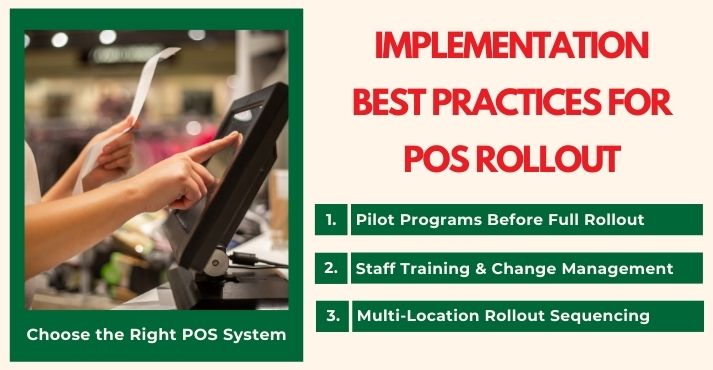
Choosing a POS system is just the start. Rolling it out properly ensures smooth operation, staff buy-in, and efficient use.
1. Pilot Programs Before Full Rollout
Testing in one outlet or department before a full launch reduces risk. Trying new system workflows, payment integration, and reporting in a smaller setting reveals issues early.
For example, Sunway Hotels & Resorts in Southeast Asia replaced its legacy POS system and started with input from various departments before expanding it across properties.
2. Staff Training and Change Management
Even great systems fail when staff do not adopt them well. Training should match roles such as servers, kitchen staff, managers, and back-office teams, and it should include ongoing support.
Change management involves explaining why changes matter, collecting feedback, and refining workflows.
3. Multi-Location Rollout Sequencing
Staggering deployments helps. Introduce the system first in less complex or smaller locations. Use those as learning grounds. Then roll out in high-volume or flagship properties once workflows are refined. That approach limits disruption in revenue-critical sites.
POS RFP Checklist
To choose vendors objectively, use a structured Request for Proposal (RFP) process. Here is a checklist format you can follow:
| Step | What to Capture | Why It Matters |
| Requirements Definition | Features, payment methods, integrations, and uptime | Ensures no essential need is overlooked |
| Vendor Response | How the vendor meets each requirement, integration plan, and support options | Enables fair comparison |
| Scoring & Weighting | Assign scores by category (cost, reliability, vendor experience) | Aligns final choice with business goals |
Frequently Asked Questions
What’s better for restaurants: cloud or legacy POS?
Cloud POS systems offer faster updates, easier integrations, and scalability, while legacy systems can still suit operators with strict on-premise requirements. Most restaurants benefit from cloud or hybrid models that combine flexibility with offline reliability.
How do you ensure offline continuity?
Choose a POS that caches transactions locally and automatically syncs once the connection is restored. Look for systems that can process payments offline with less than 30 seconds of failover.
What fees matter most in a POS?
Software subscriptions and hardware are expected costs, but the largest impact often comes from payment processing margins, chargebacks, and foreign exchange fees. These can outweigh upfront expenses if not negotiated carefully.
How do POS systems handle tips and service charge compliance?
Modern systems automatically separate tips, gratuities, and service charges, applying the correct tax and payroll rules. This reduces errors and ensures compliance with local labour and fiscal regulations.
What’s the right pilot plan before rollout?
Start with one location or department to validate integrations, reporting accuracy, and staff readiness. Expand only after feedback confirms workflows are stable and service is uninterrupted.
Good / Better / Best POS Setups for 2026
Operators can use reference architectures as a roadmap for planning their next upgrade. These setups balance scale, investment, and operational needs across a range of venues, from independent cafés and boutique hotels to global hotel chains and cloud kitchen models.
For those evaluating the best POS for restaurant or hospitality operations, this framework offers a practical way to align capabilities with business goals.
| Setup | Components | Best Fit |
| Good | Cloud POS + basic payments + menu sync | Independent cafés, small bars, and single-location eateries that need agility without heavy infrastructure |
| Better | Cloud POS + offline-first support + QR/kiosk ordering + PMS integration | Quick-service restaurants and mid-sized hotels that require resiliency, speed, and enhanced guest convenience |
| Best | Full-stack POS + PMS + payments orchestration (wallets, FX, tokenization) + predictive analytics + compliance controls | Multi-location groups, fine dining, resorts, and enterprise-scale operators expanding across regions |
Conclusion
Selecting a POS is not just about technology; it has a direct impact on service quality, compliance, and revenue for both restaurants and hotels.
A structured POS system comparison allows operators to evaluate outcomes, features, costs, and rollout planning with clarity.
Across the hospitality industry, whether it is a quick-service outlet, a full-service restaurant, or a multi-property hotel, the right setup enhances payment reliability, streamlines operations, and ensures compliance with local regulations. It also helps staff adopt processes more smoothly and creates consistency across locations.
As 2026 approaches, the most effective systems will combine flexibility, interoperability, and integrations that support customer expectations and long-term business growth.